Section 04 // Sample Taxonomy & Session Architecture

Libraries: See an Organised Session

A sample collection only works at the speed of thought when its visual structure matches how you search during a session. Compare desktop metadata databases, small-screen hardware SD card trees, and multi-track stem delivery folders.

Lead Plate LIB-400 // Session & Vault Structure

Design Folder Trees for Peripheral Vision

Whether browsing on a 27-inch studio monitor or a 128x64 pixel OLED screen on a portable sampler, prefix numbering and strict token order prevent visual fatigue.

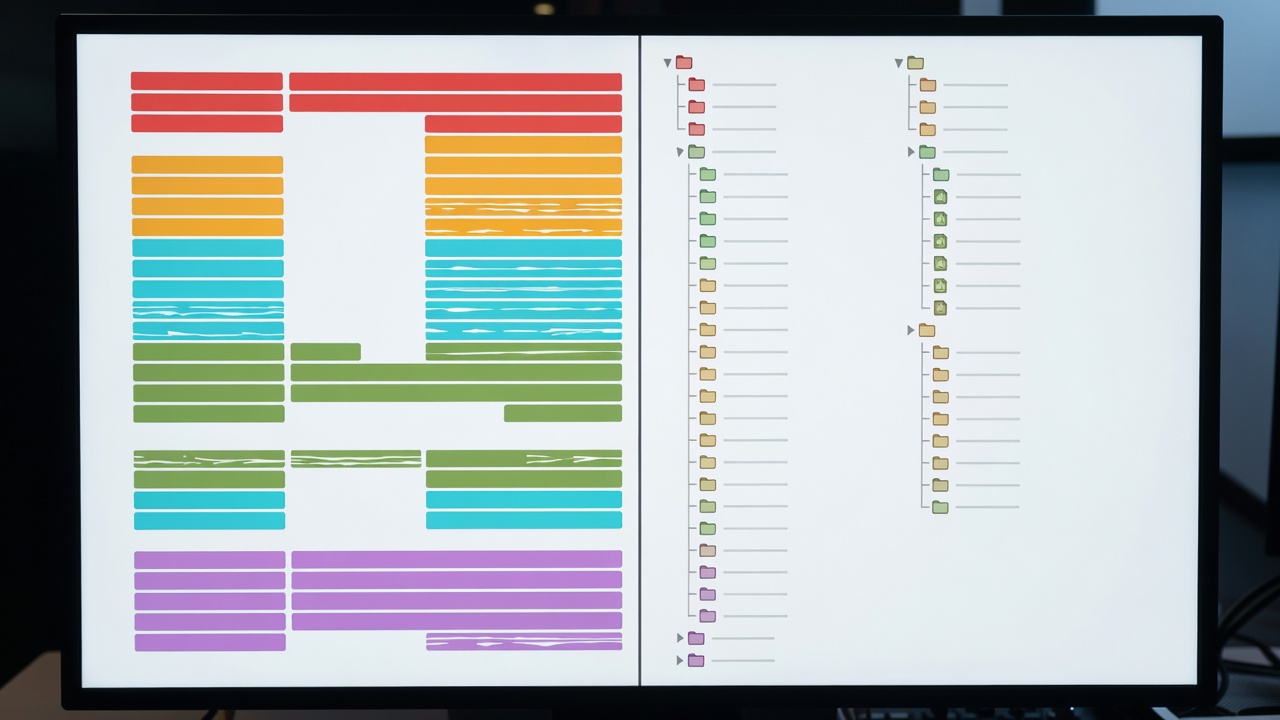
Annotated studio display showing a split view between a colour-coded DAW stem arrangement on the left and a structured sample vault directory tree on the right
1 Bus Group Header Tracks (01_DRUM_BUS) 2 Uniform Stem Start Bar (01.01.00) 3 CamelCase Token Filenames 4 Key & BPM Leading Sort Columns

Catalogue Plate LIB-400: Synchronized Session Stems & Vault Taxonomy

Visual Text Equivalent: On the left side of the plate, twelve consolidated audio tracks all begin flush at Bar 1 Beat 1, grouped into four distinct colour bands: Charcoal for Drums, Teal for Bass, Amber for Synths/Keys, and Slate for Foley/FX. On the right side, the project directory shows a dedicated `Samples_Collected` subfolder alongside an archival `Stems_24bit_48kHz` folder.

What the Image Shows vs. What Equipment Can Do Seeing consolidated region blocks aligned at Bar 1 Beat 1 confirms that stems can be imported into any sampler or DAW without losing timing alignment. However, a screenshot of a folder tree cannot verify whether external sample references were truly copied ("Collected and Saved") into the project folder or remain linked as fragile aliases to an external drive.
Stem Standard
Zero-bar consolidated WAV files rendered with peak headroom (-6dBFS) and master bus processing bypassed
Directory Rule
Maximum 3 subfolder levels deep to avoid horizontal scrolling on hardware LCD screens
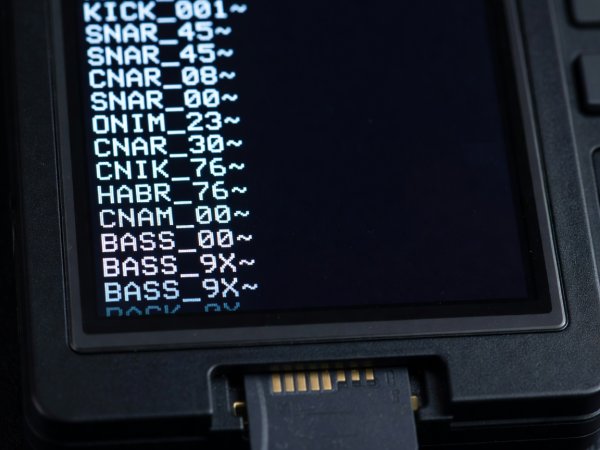
Close-up of a hardware sampler OLED screen showing truncated 12-character filenames where front-loaded instrument codes remain readable
1 Front-Loaded 3-Letter Code (KCK_) 2 Avoided Pack-Name Prefix

Ref. LIB-408: Small-Screen OLED Filename Front-Loading

Visual Text Equivalent: A compact white-on-black OLED screen inside an aluminum sampler chassis displaying eight rows of filenames: `KCK_909_Hard.wav`, `KCK_Acou_Dry.wav`, `SNR_Rim_Tight.wav`, and `HAT_Clsd_606.wav`.

Recognition Note: Commercial sample packs often prefix every file with the vendor's full brand name (e.g., `Ultimate_Vintage_Producer_Pack_Vol4_Kick_01.wav`). On a 14-character hardware sampler screen, every file in that folder reads identically as `Ultimate_Vinta...`. Stripping vendor prefixes and front-loading a 3-letter instrument code (`KCK`, `SNR`, `BAS`, `PAD`) restores instant visual recognition.

Character Budget
Keep primary identification tokens within the first 12 ASCII characters
Filesystem Compatibility
FAT32 / exFAT safe; strictly ASCII alphanumeric plus underscores (no emojis or slashes)
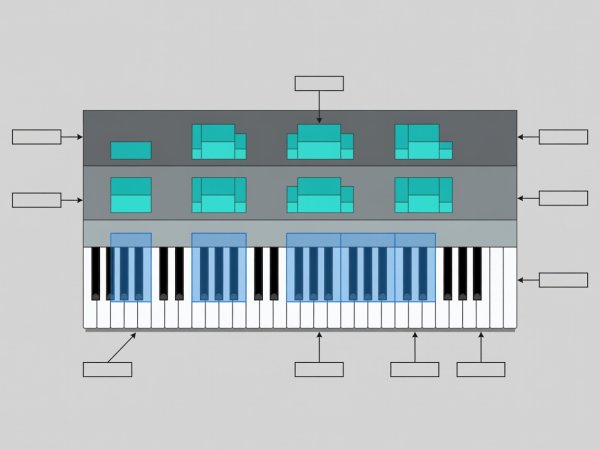
Annotated diagram of a sampler keygroup mapping editor showing root note zones every minor third across C1 to C5 with three vertical velocity layers
1 Minor-Third Root Spacing (C, D#, F#, A) 2 3-Tier Velocity Split (pp / mf / ff)

Ref. LIB-415: Multisample Keygroup & Velocity Mapping

Visual Text Equivalent: A horizontal piano-roll grid spanning five octaves. Above the keys, rectangular sample zones span three semitones each, stacked three high vertically from velocity 1–64 (soft), 65–108 (medium), and 109–127 (hard).

Recognition Note: Sampling an acoustic or analogue instrument at every minor third (every 3 semitones) balances library disk size against formant-shifting artifacts. Visually consistent zone widths confirm that no single sample is being stretched across a whole octave.

File Naming
RhodesMk1_C3_v100.wav (Instrument + MIDI Root Note + Velocity Top)
Auto-Map Clue
Placing the root pitch immediately before the file extension allows most software samplers to auto-map zones on drag-and-drop

Standard Sample Vault Prefix Catalogue

Adopting a consistent three-letter prefix system modeled after archival sound effects standards (such as the Universal Category System) ensures your folders sort identically on macOS, Windows, Linux, and embedded hardware samplers.

3-Letter Code Category Description Recommended Filename Template Example Filename
KCK One-shot Kick Drums (Acoustic & Electronic) KCK_[Source]_[Character]_[Key].wav KCK_TR808_LongDecay_F1.wav
SNR / CLP Snares, Rimshots, and Handclaps SNR_[Source]_[Articulation].wav SNR_Supra14_Rimshot_Dry.wav
BRK Drum Breaks & Percussive Loops BRK_[BPM]_[KitStyle]_[Bars].wav BRK_094BPM_GreasyKit_4Bar.wav
BAS Bass One-Shots & Melodic Loops BAS_[SynthOrInst]_[BPM]_[Key].wav BAS_SH101_ResoSub_120BPM_Cm.wav
TEX / FOL Room Tone, Vinyl Crackle, Field Foley TEX_[LocationOrMedium]_[Length].wav TEX_TapeHiss_15IPS_30s.wav